February 2024
- You can now receive notifications that your devices may have outdated content or that your device has been unavailable to the DS-GO server for more than 5 days. (more)
- We have added the ability to play content for 7 days without an Internet connection. Please note that if there is no Internet connection when you turn on the device, the player will play the content that was supposed to be played on the day the device was turned off.
- Now you can get screenshots of the player on all Android devices (you need to update the player to version 0.281)
- We added the ability to force update the player version on Android devices without root rights. Download the current version from your personal account via the link, download the apk to a flash drive and install it on your device. This will not reset the device’s registration in your personal account or stop displaying your content.
- Now you can rotate content on Android TV (you need to update the player to version 0.281).
- Added the ability to publish web links, Google Slides, Docs, Sheets, with customizable display scale and update period.
- Added the ability to publish videos and playlists on YouTube (please use only public links).
- New modes for video:
- Fit: the video fits into the template zone and keeps its proportions;
- Fill: the video is stretched to fill the whole zone.
New modes for images:
- None: original size, aligned to the top left corner of the zone;
- Fill: the image is stretched to fill the whole zone;
- Contain: centered, fits the zone by the longer side;
- Cover: centered, fills the zone by the shorter side.
- Added the ability to display the device IP and player ID on the device screen.
- To enable display in your personal account, select devices and click the “I” icon. The device IP and player ID display will automatically stop after 10 seconds.
To turn on the display using the device’s remote control, press the OK button. - Added DS-GO player blocking mode on the device.
Now, when you try to minimize the player, it will launch automatically. To stop the player, press the “OK” button on the device’s remote control, and then “Close Player.”
July 2023
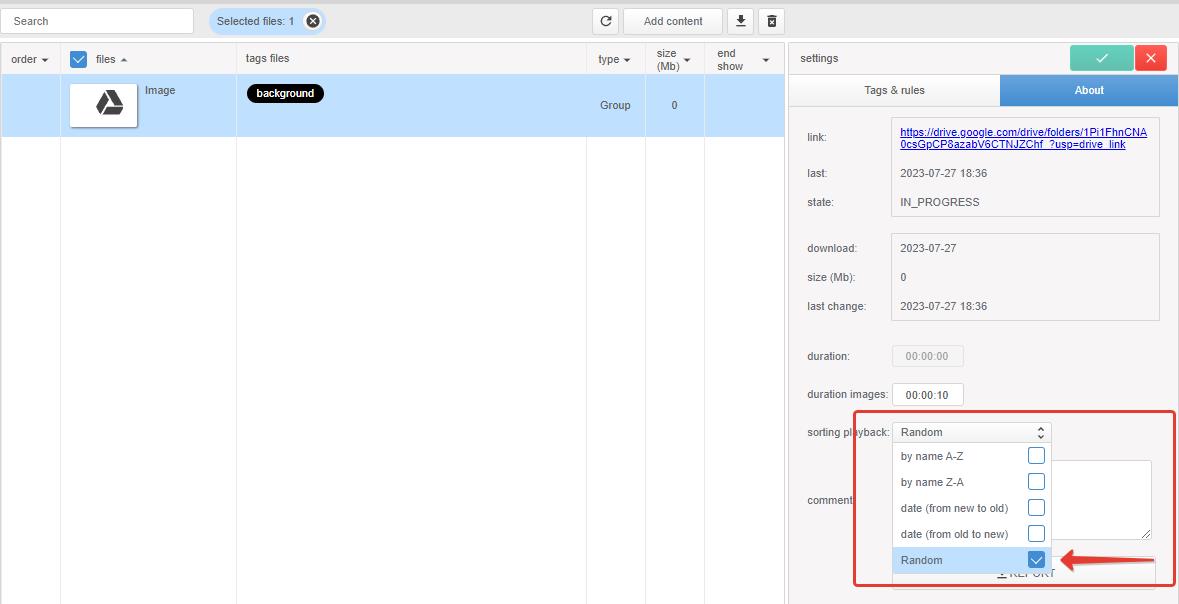
New content sorting mode in Google folders: Random. Use this mode if you want the contents of the same folder to be played on published devices in different orders.
December 2022
- Now you can delete categories and tags even if they are used.
- Search optimization by device registration dates.
- Added the ability to download a device report (available in About device).
September 2022
- Creating and configuring User rights (more).
- Device search (by comments, device model, device ID, device IP), content (by file name, format), users (by name and mail).
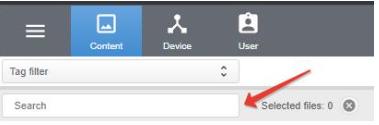
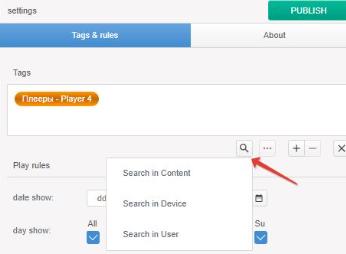
Search for devices, content and users by assigned tags (Tags device, Tags channel, Tags & rules and User Tags).
- Display device IP in About device.
- Display the last time the device connected to the DS-GO.PRO server in About device.
- Device report (available in About device).
- Now, when changing the template, the Tags channel is not reset.
- Increased the selection range of the number of devices displayed on the page.
- Minor interface tweaks.