To create a new User, go to the Users section and click Add User (+).

Specify your username, email address and configure User rights.
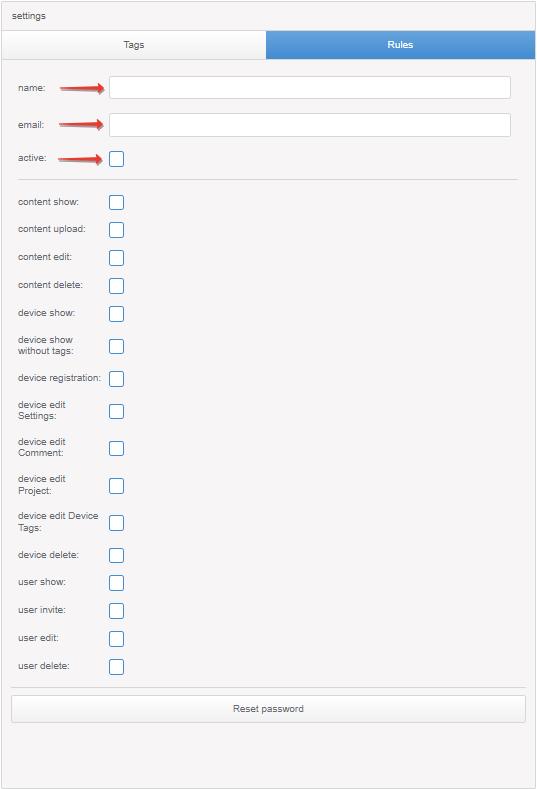
| active | User is activated or not |
| content show | Access to the Content section |
| content upload | Permission to upload content |
| content edit | Permission to edit and publish content |
| content delete | Permission to remove content |
| device show | Access to the Device section |
| device show without tags | Displaying devices without Tags device |
| device registration | Permission to register new devices |
| device edit Settings | Permission to change the Settings device section |
| device edit Comment | Permission to edit comment |
| device edit Project | Permission to edit the Project section |
| device edit Device Tags | Permission to edit the Device Tags section |
| device delete | Permission to remove devices |
| user show: | Access to the Users section |
| user invite | Permission to create new Users |
| user edit | Permission to edit Users |
| user delete | Permission to delete Users |
| tags modification | Permission to create categories and tags |
| Reset password | Resetting the User’s password: a letter with a new password will be sent to the email specified in the settings |
The User’s access to devices and content is regulated by the tags assigned to him. To add tags, go to the Tags section and click Add tag (+)
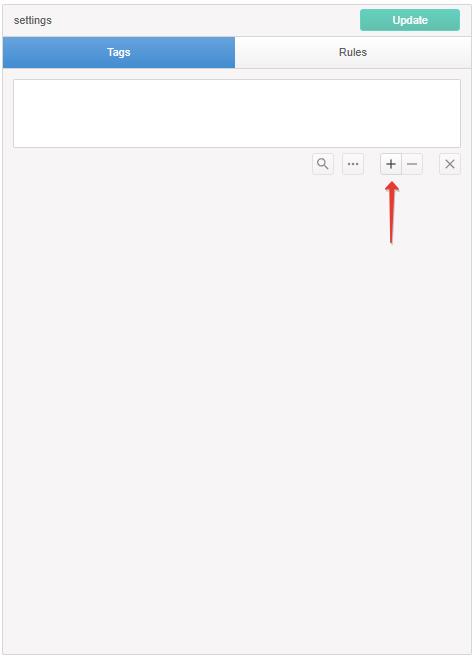
Roles of tags in rights (Content)
| Tags | Edit and publish content |
|---|---|
| Tag not specified | Yes |
| All specified tags correspond to the User | Yes |
| One of the specified (or more) tags is missing from the User | No |
To display the Content section, you must enable content show in Rules, and to edit and publish content edit.
Roles of tags in rights (Device)
| Tags device | Tags channel | Device Access | Change Tags device | Change Tags channel | Changing the order of tags in the Tags channel |
|---|---|---|---|---|---|
| One of the specified (or more) tags is missing from the User | doesn’t matter | No | No | No | No |
| All specified tags correspond to the User | One of the specified (or more) tags is missing from the User | Yes | Yes | No | No |
| All specified tags correspond to the User | All specified tags correspond to the User | Yes | Yes | Yes | Yes |
To display the Device section, you must enable device show in Rules, and for edits the corresponding device edit Settings, device edit Comment, device edit Project, device edit Device Tags, device delete.
Roles of tags in rights (Users)
| Tags | Access and change |
|---|---|
| Tag not specified | No |
| All specified tags correspond to the User | Yes |
| One of the specified (or more) tags is missing from the User | No |
To display the Content section, you must enable user show in Rules, and for editing and publishing user edit.
To provide the User with the opportunity to create their own categories and tags, tags modification must be included in them.
The user can add his tags to the category created by the admin if the entire category is open to him.
When you have completed the settings, save them by clicking Update, the new user will receive an email with their username and password.