Display properties settings are made in the Settings / Tags & rules window. The setting is available for both one file and a group of files.
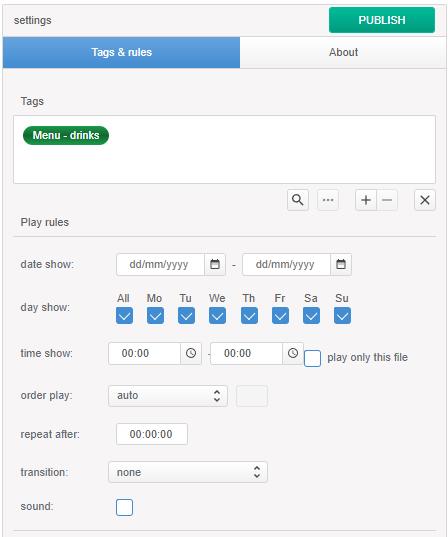
To publish files to playback devices, you must specify the channel tag of the template used by the device.
Tags of a specific device (or group of devices) can also be specified if it is necessary to publish the file only to it.
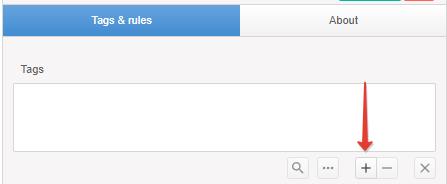
To add a tag, click “+”.
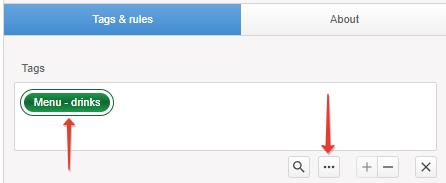
To replace a previously selected tag, select the tag and click “…”.
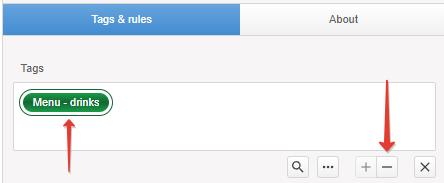
To delete a tag, select the tag and click “-“.
File display properties settings
- durationfile duration. The value is editable for graphic images and HTML layouts only. For video and audio files, their default duration is displayed.
- date show(display dates): start and end dates of the file display. At the end of the display, the file will be excluded from playback and deleted (only from the playback device). By default, the file uses infinity mode, that is, the file will play until it is deleted or unpublished.
- day show(display days): days of the week on which the file will be played.
- time show(display time): daily start and end time of file display.
- play only this file(show only this file): file display priority. At the time specified in time show, only files with the play only this file option enabled will be shown.
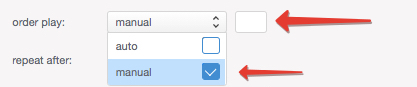
- order play(display order): the order in which the file is displayed.
If on devices, the zone of the template used has several tags, for example Advertising and Announcements, then the files will be played in groups and according to the order of the zone tag:
First, all files with the Advertising tag will be played, then all files with the Advertising tag, and so on, in cyclic order.
The default mode is Auto. In this mode, files will be played according to the alphabetical order of the file name.
Language and case are taken into account, for example: 1arbuz will be the first in the group, arbuz will be the second, Arbuz will be the third, watermelon will be the fourth, Watermelon will be the fifth.
To specify a specific playback order, select Manual mode and specify the desired value, for example, “1” if you want to play the file first, “2” if you want to play the file second, and so on.
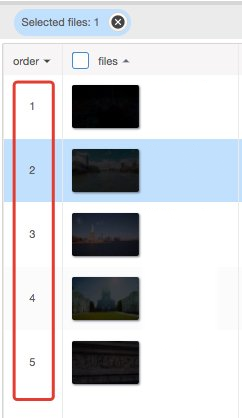
You can find out which order mode is used for your files in the Order column.
The absence of a value indicates that the file mode is Auto.
Publishing files
To publish the file, save the display settings and click the Publish button
If the button is not active.
- check if the tag is specified.
- whether the specified tag is used by the device template zone.
- check if at least one day of display is selected in day show.
To unpublish a file, click the Unpublish button.