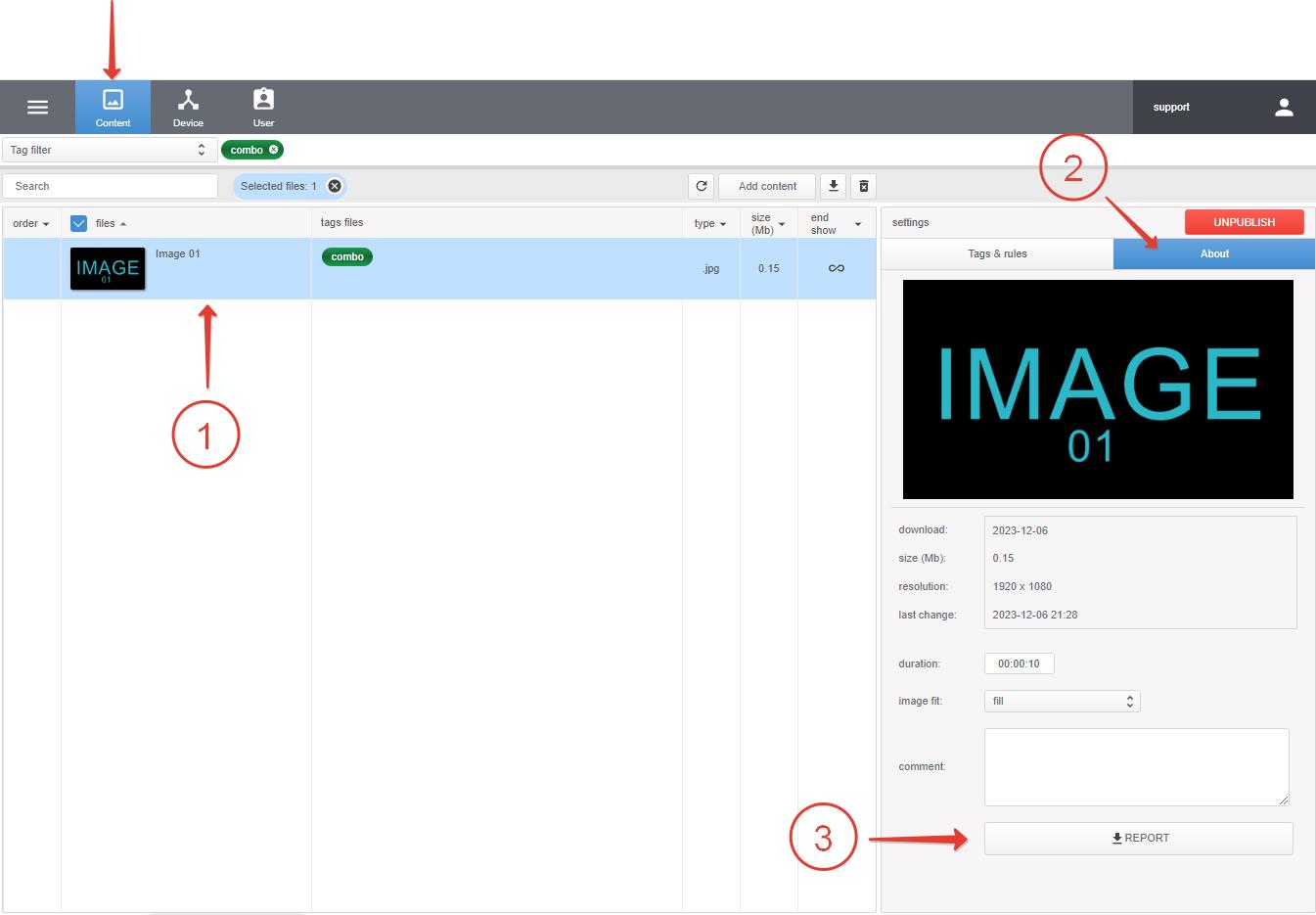
To download the report, go to the Content section, select the file or files (using Shift), then go to the About section and click Report to download the report.
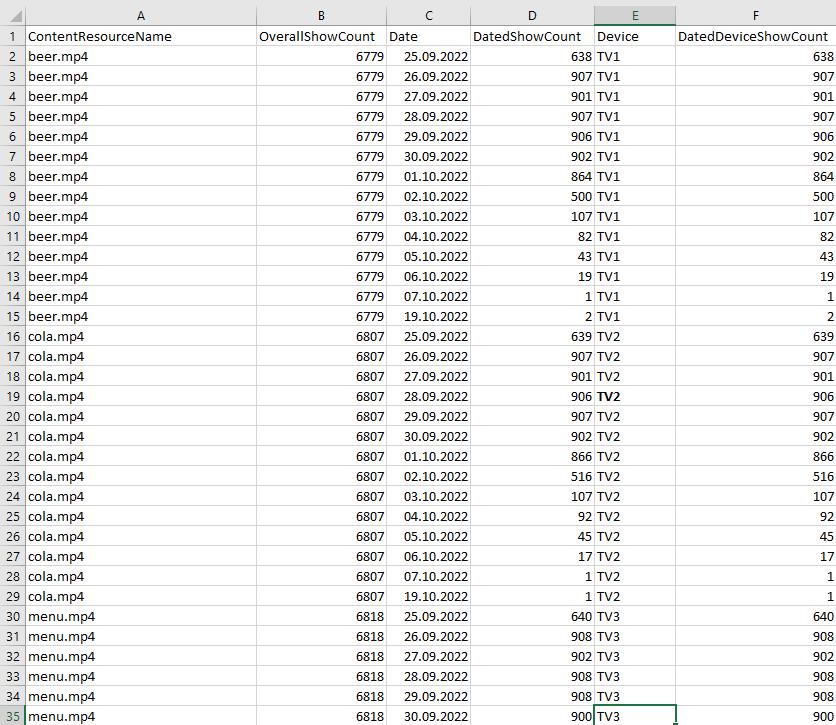
| ContentResourceName | OverallShowCount | Date | DatedShowCount | Device | DatedDeviceShowCount |
| file name | total impressions | show dates | total impressions on a given day | devices | impressions on a given day on devices (Device) |
Tags specified in Tags device of the device or ID device are displayed if nothing is specified in Tags device