1. Home
  2. DS-GO.PRO Help
  3. Getting started
  4. Step 1. Installing the pl...
  5. Enabling developer mode on an Android device

Enabling developer mode on an Android device

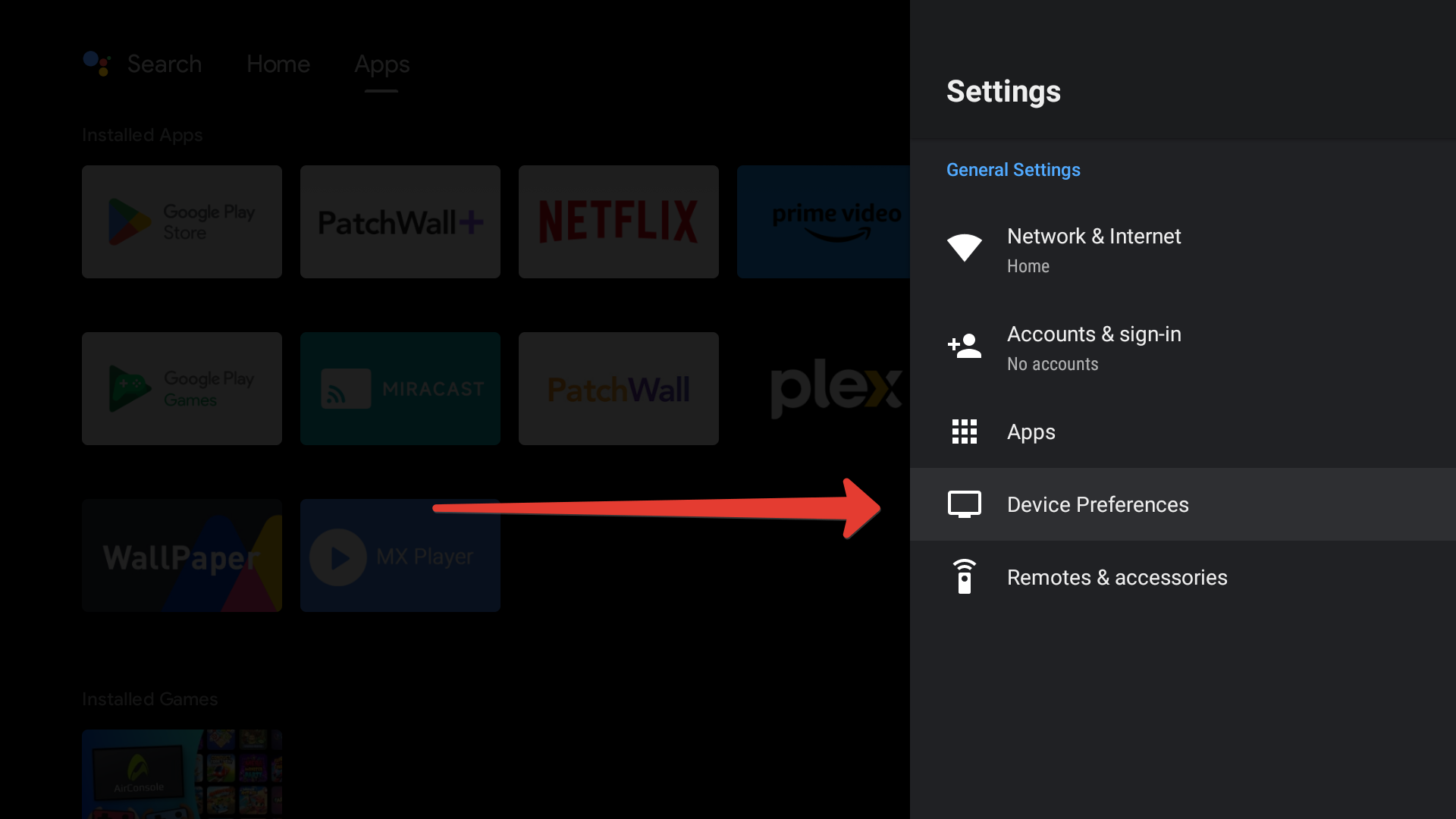
To enable Developer mode, go to settings.
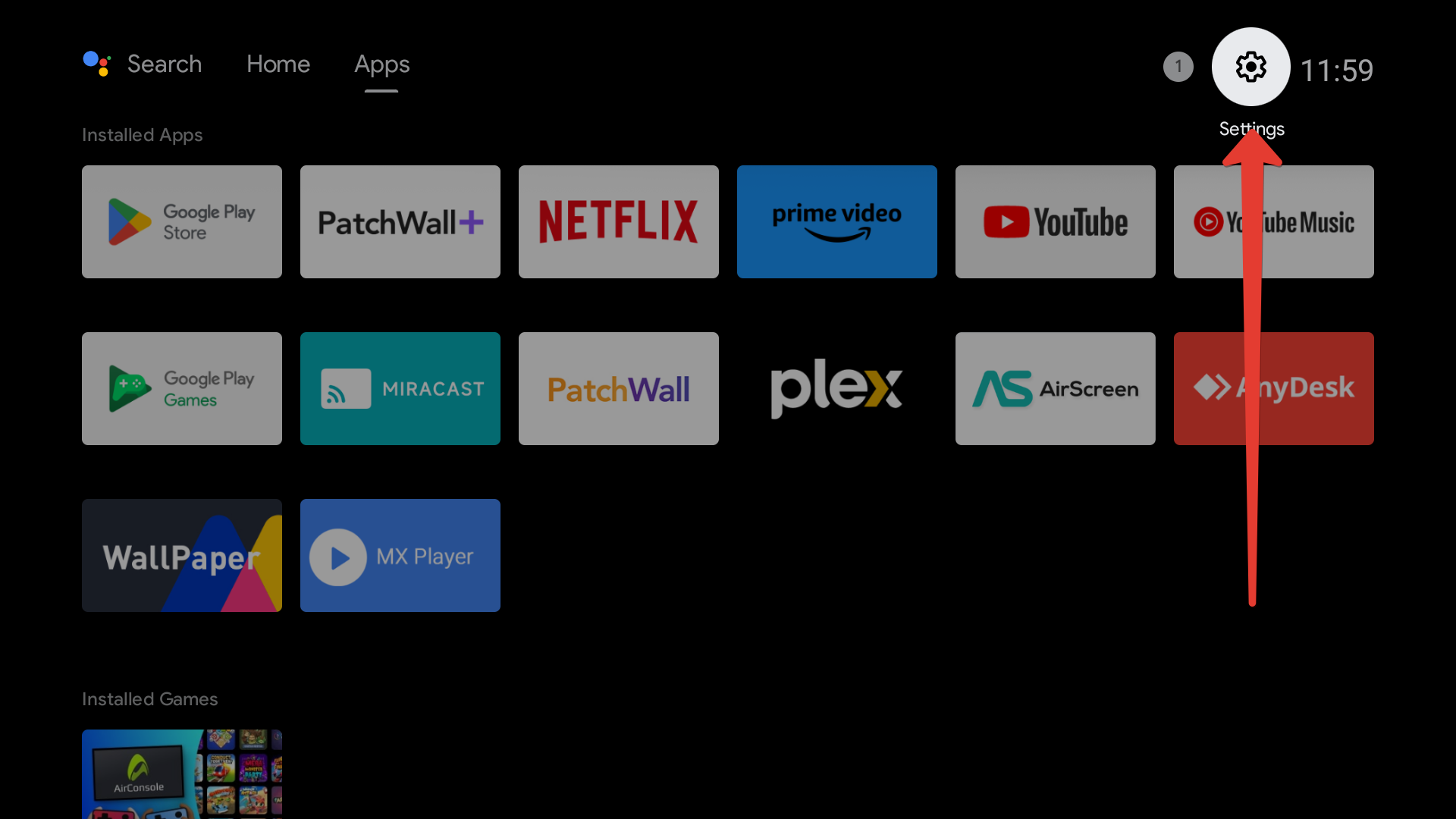
Enabling developer mode on an Android device

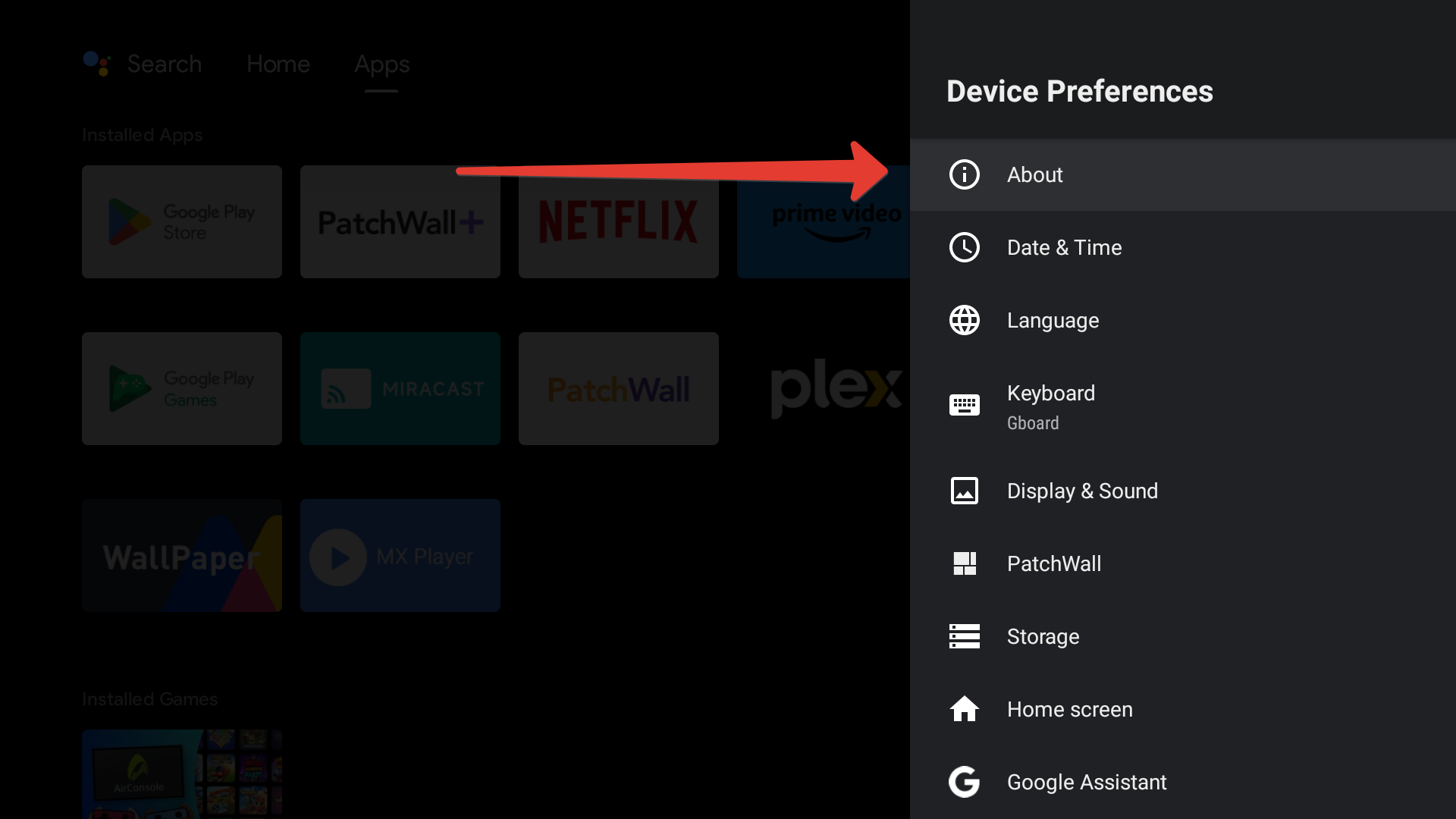
Next Device Preferences.

Enabling developer mode on an Android device

Next About the device.

Enabling developer mode on an Android device

Next, select the Build version line and press the OK button on the device remote control until you see a message stating that developer mode is enabled.
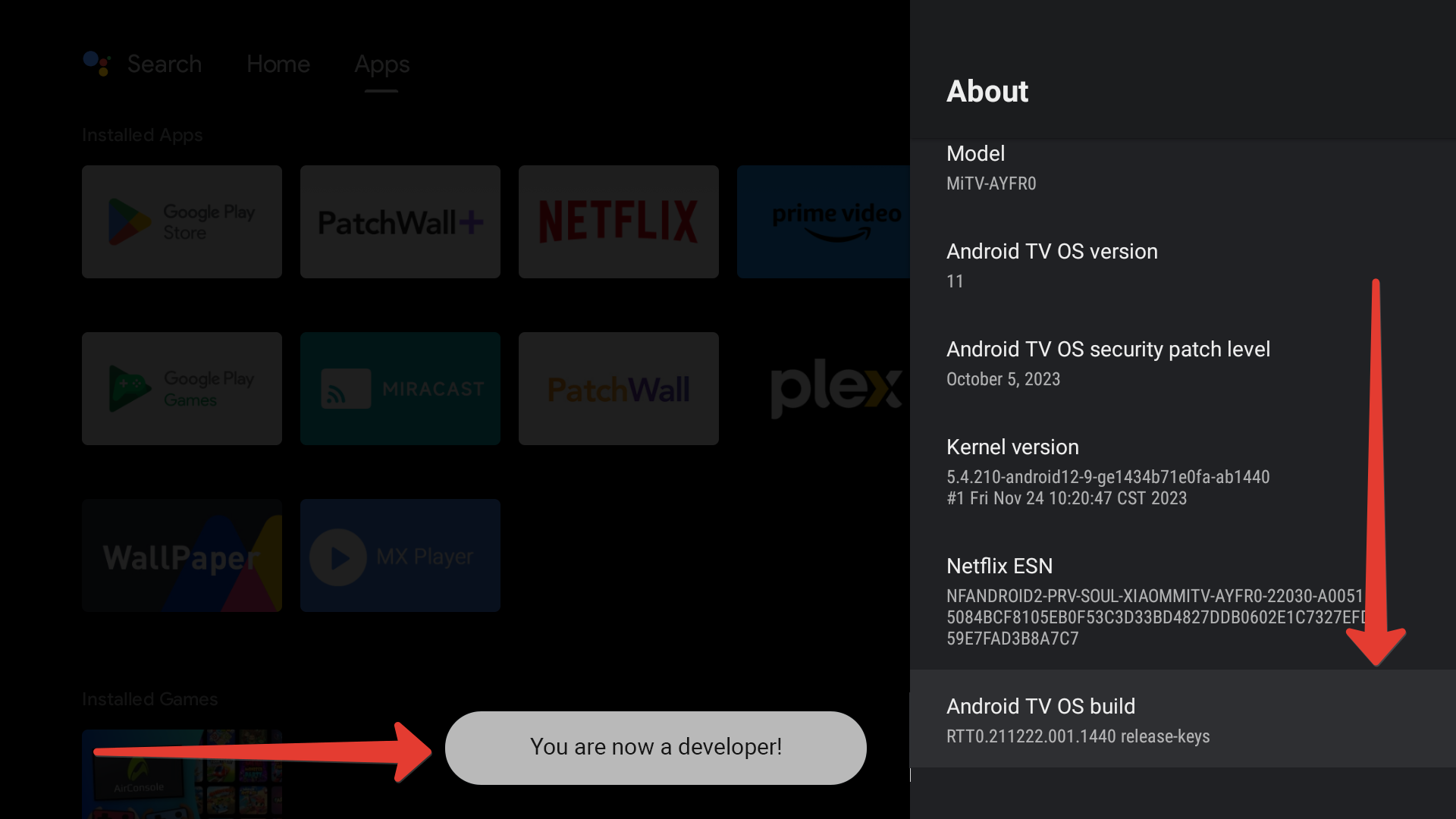
Enabling developer mode on an Android device

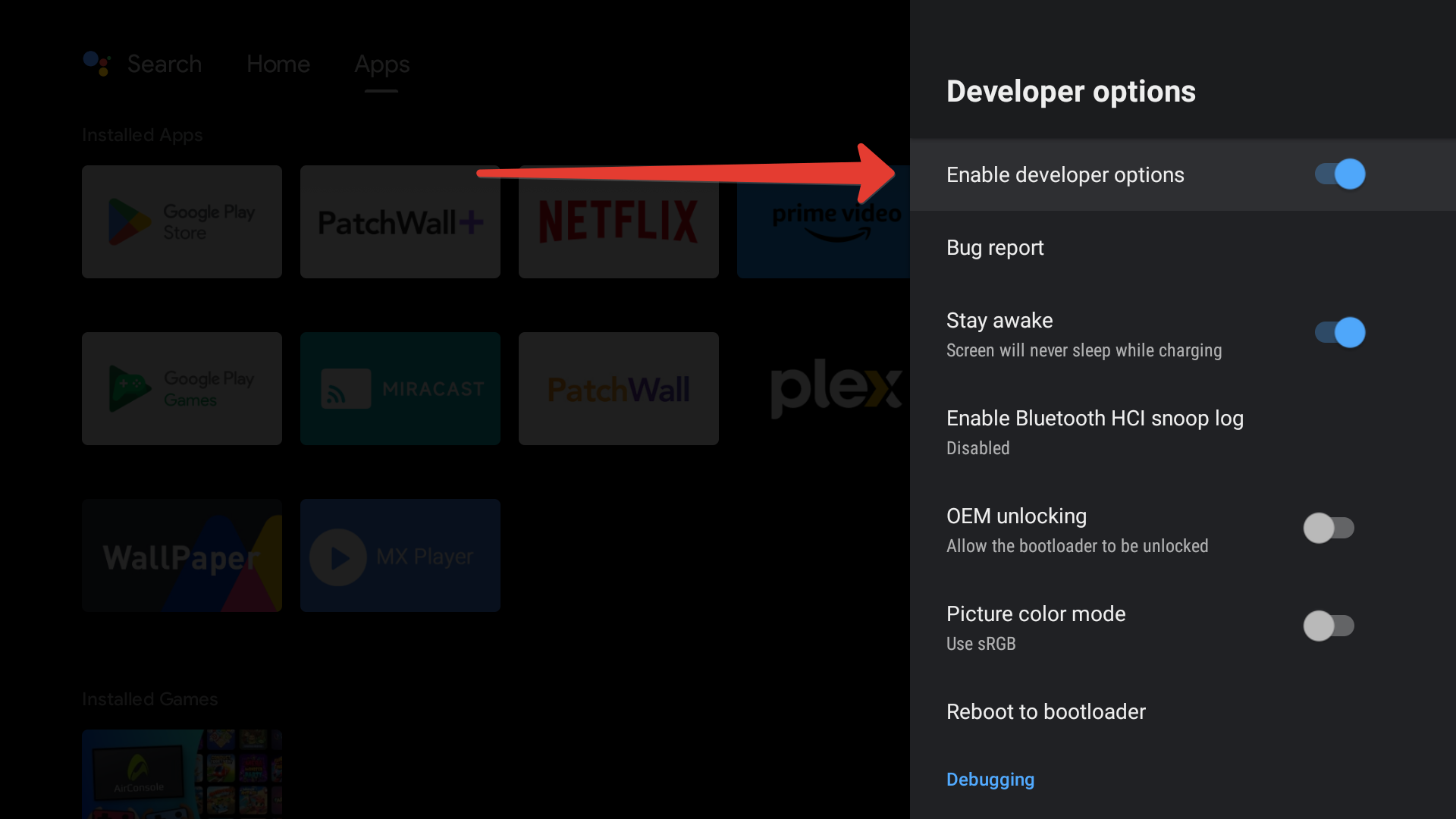
Then go back a step to the Device Preferences section and find the line Developer options.
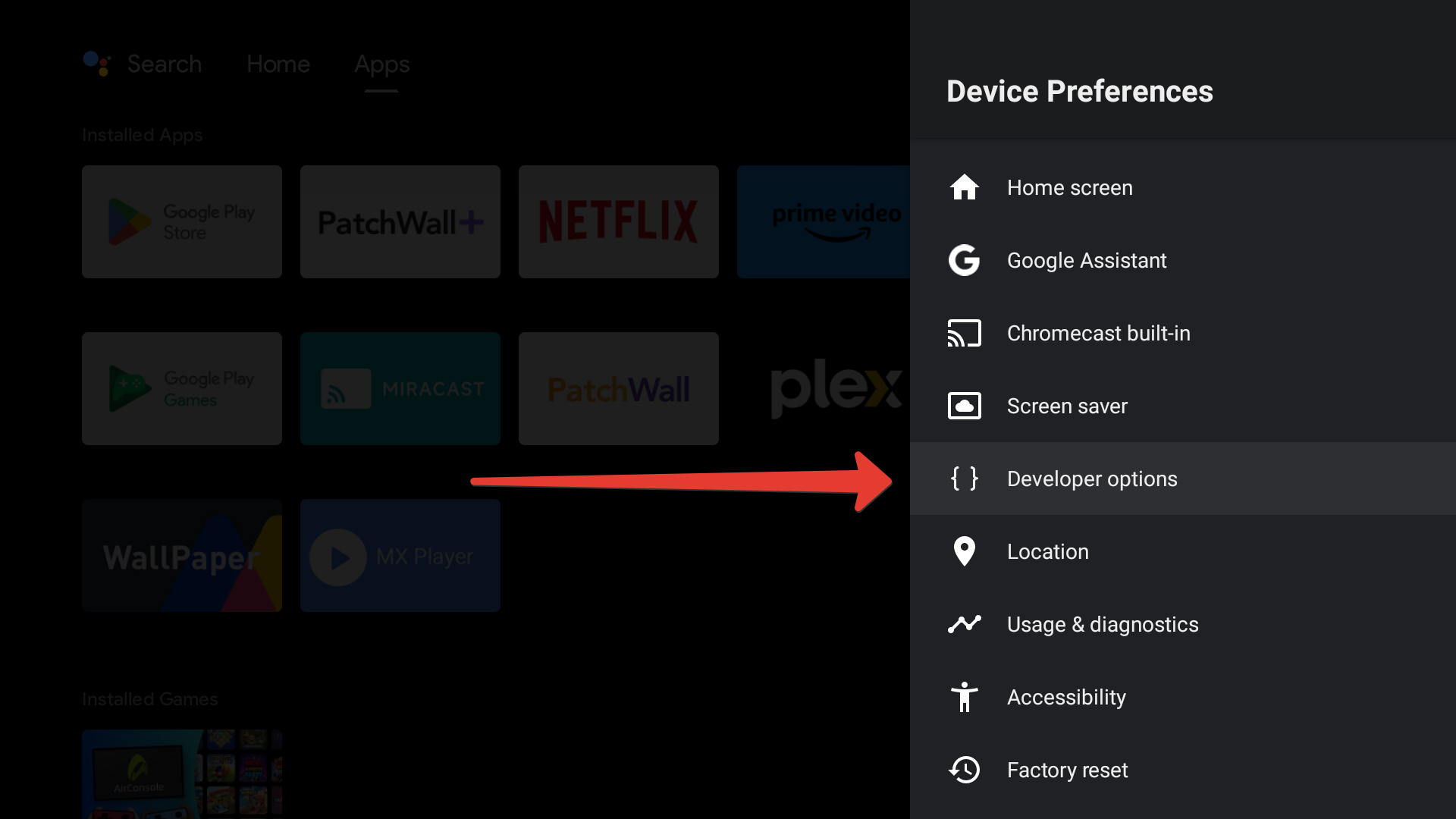
Enabling developer mode on an Android device

Check if developer mode is enabled.

Enabling developer mode on an Android device

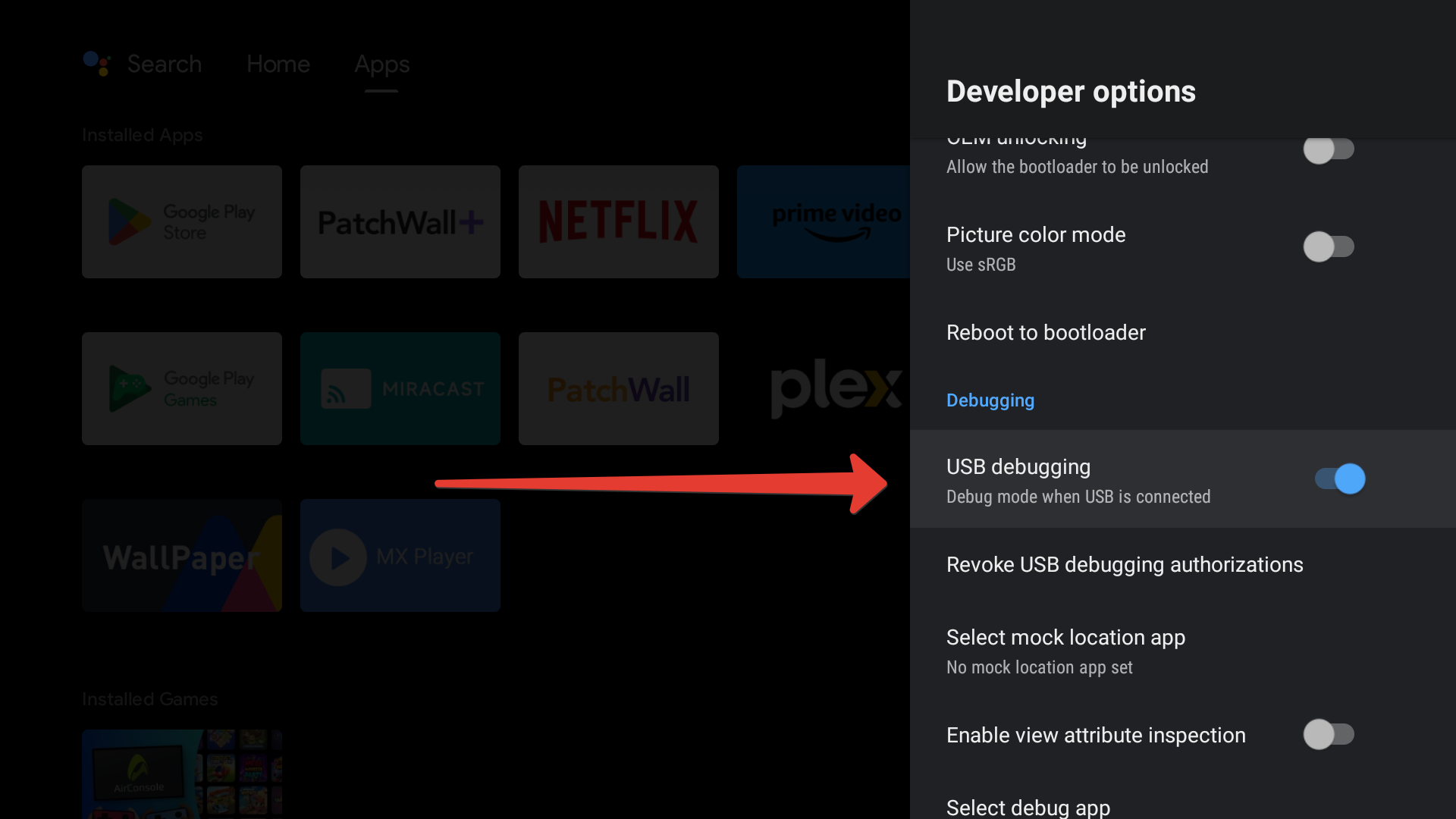
Enable USB Debugging

Enabling developer mode on an Android device

If you plan to use a memory card or flash drive to store content, allow storage on external media.
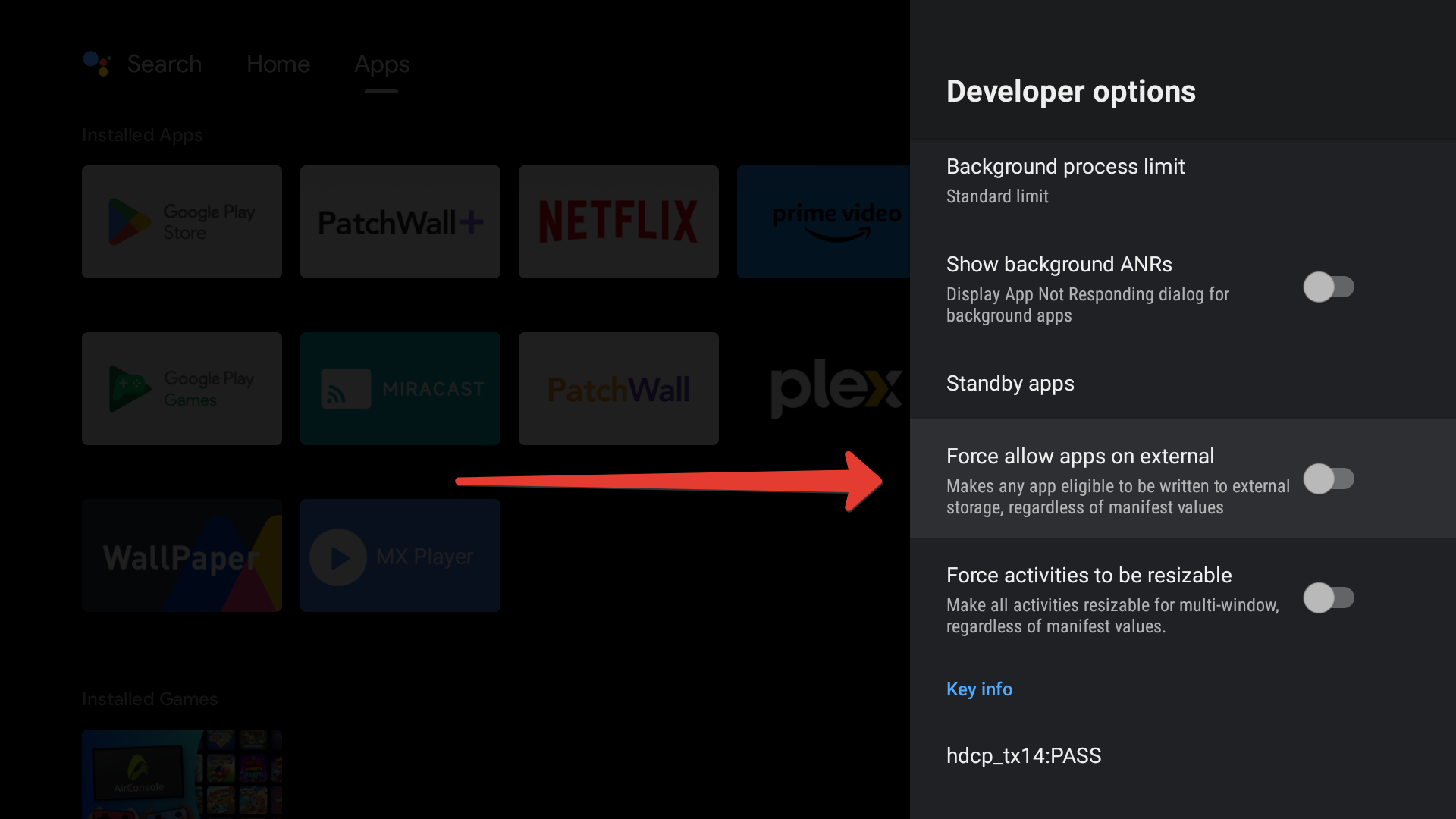
Enabling developer mode on an Android device

How can we help?